


A hole is just empty space, right? Punch it through, move on. Except... no. A hole in a 3D printed part is a battlefield where physics, tolerance, and your assumptions about "simple" all collide. And the lessons hiding inside that empty space? They apply to way more than plastic.
Here's the thing about 3D printing... it exposes arrogance fast.
You think a circle is a circle. You draw it in CAD, slice it, print it, and then you hold it up to the light and see sagging, stranding, rippling. The machine didn't fail you. Your assumptions did.
This video from the Design for Mass Production Printing series walks through something deceptively basic: how to design holes that actually work. And every single technique is rooted in the same principle... understand the constraints before you impose your will.
Start With the Corners You Can't See
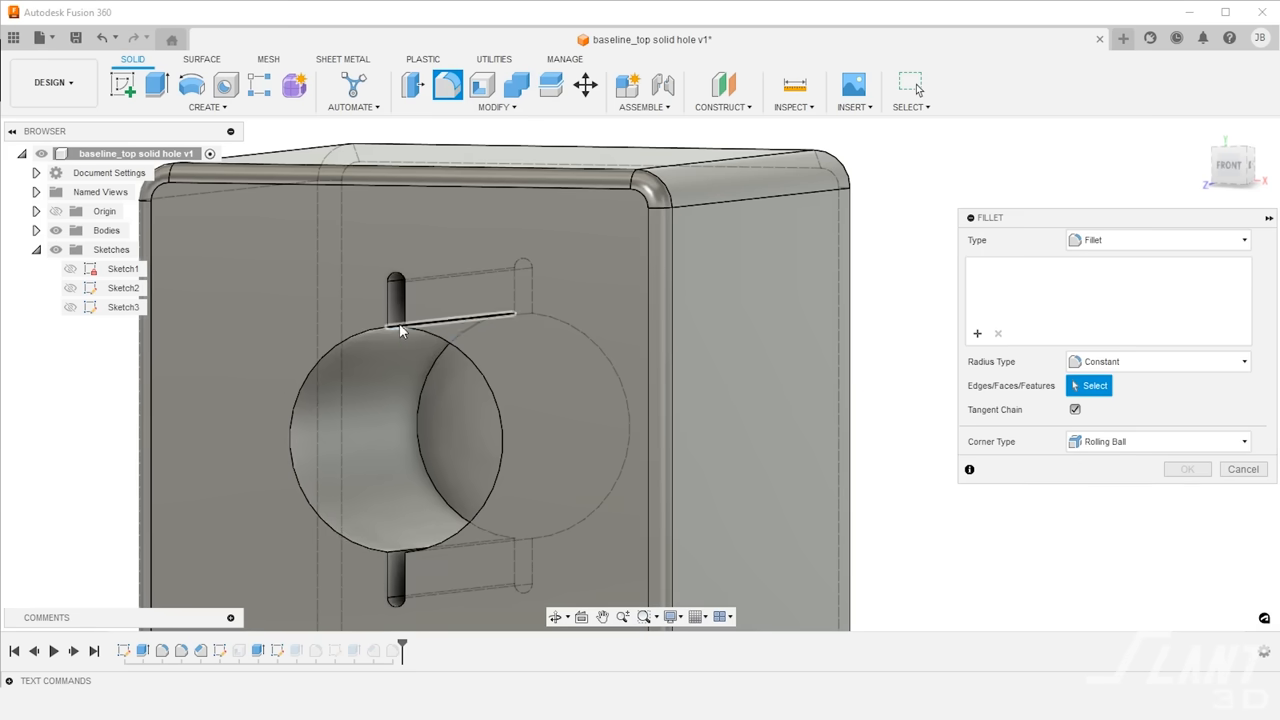
A generic hole punched through the side of a part looks fine in your Fusion 360 model. Perfect edges. Clean geometry. But the printer's nozzle isn't a point... it's a physical tool with diameter and momentum. Those perfect corners create rippling and deformation because they demand something the machine physically cannot deliver.

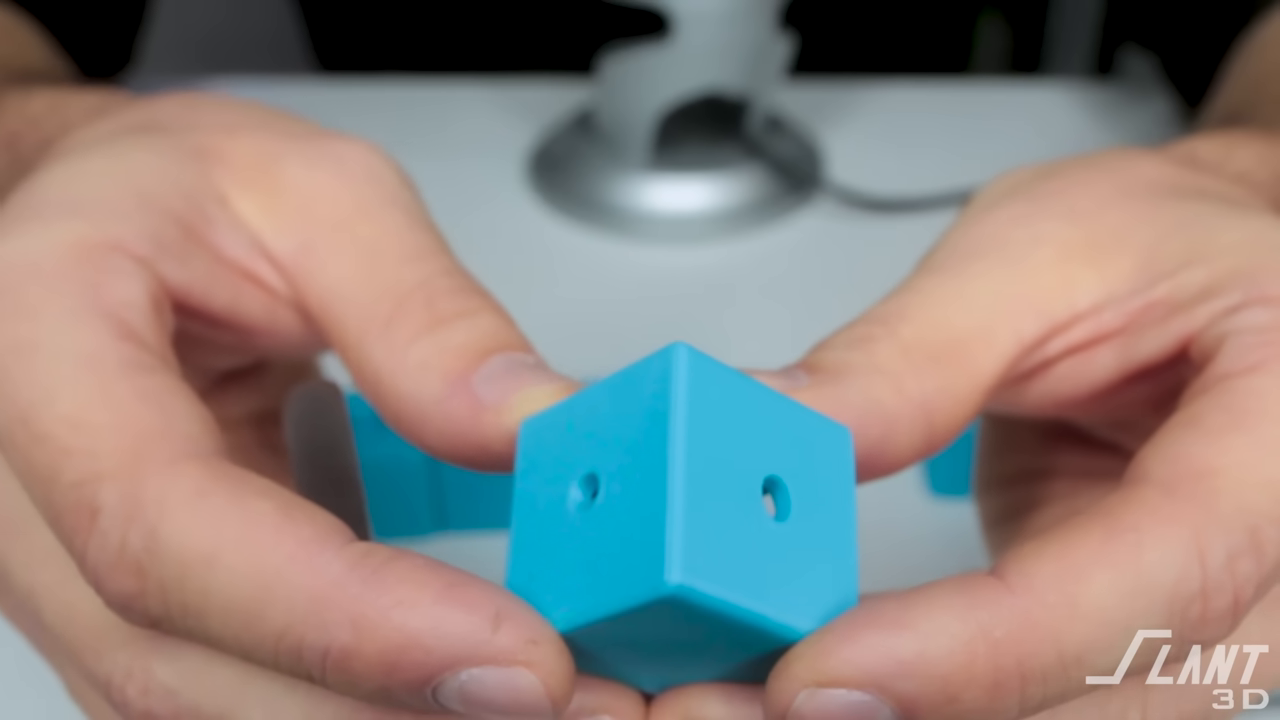
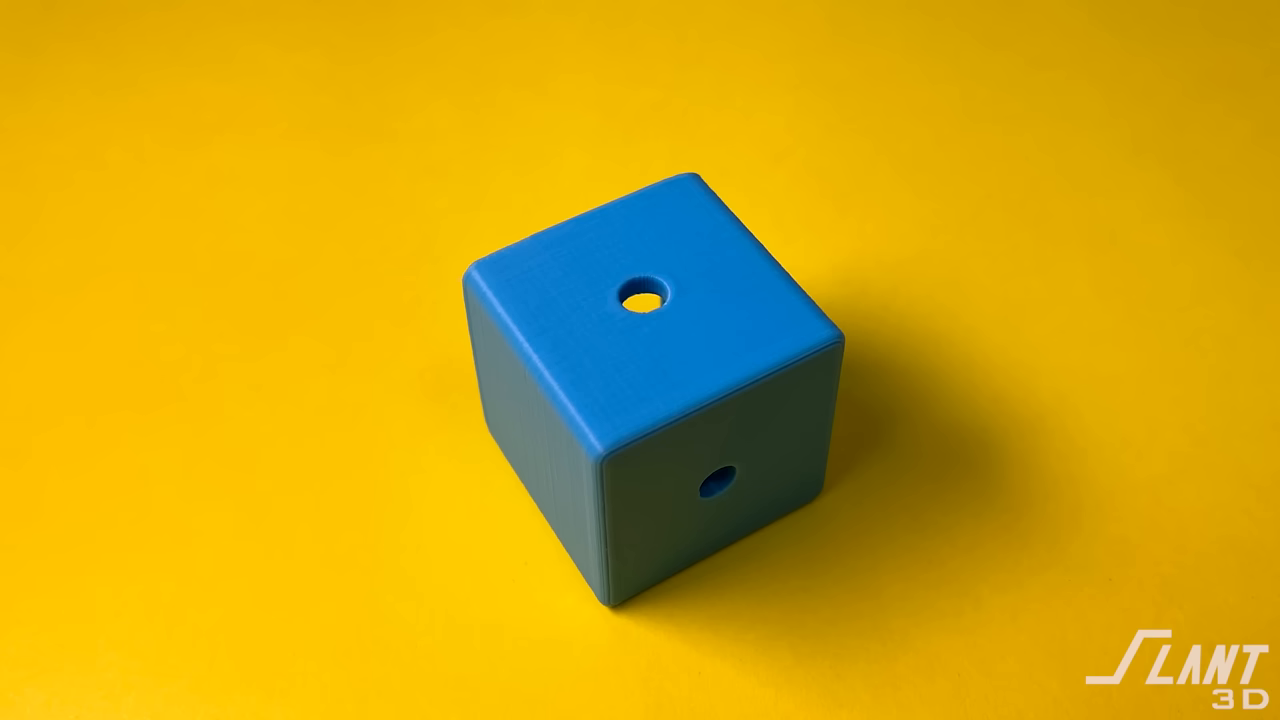
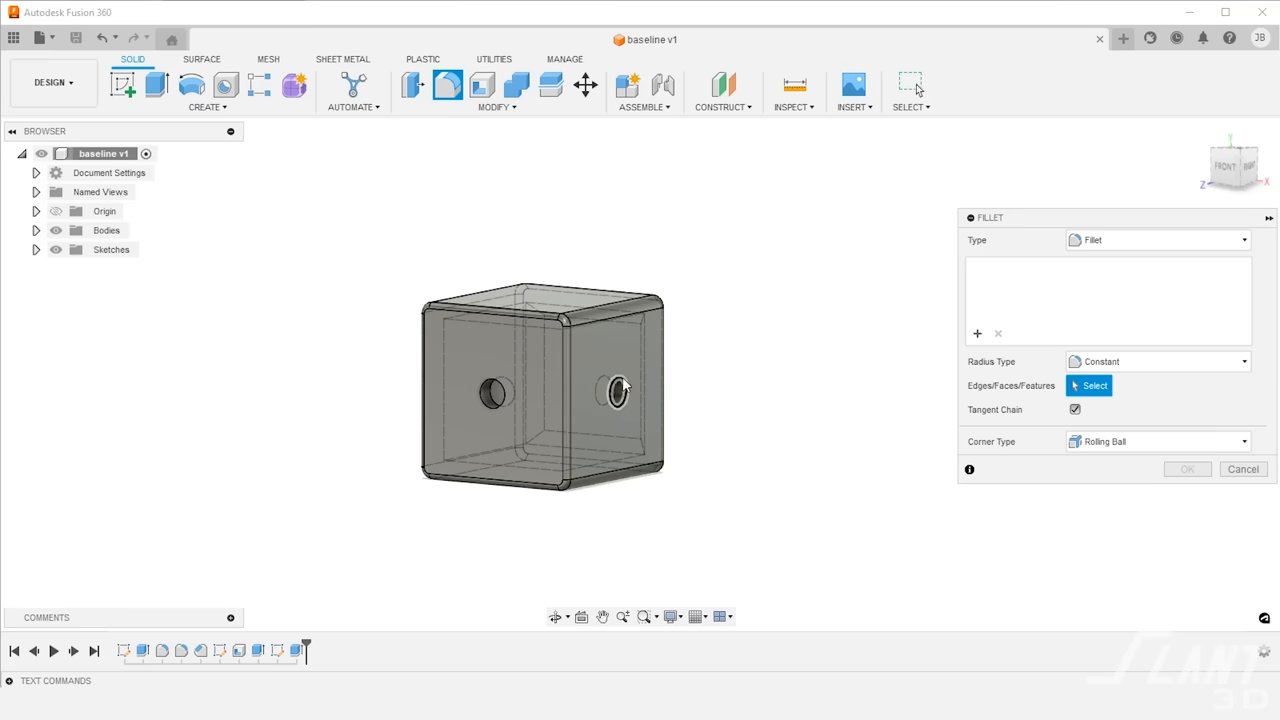
The fix? Fillets. Small radius curves on the hole edges that give the toolpath room to breathe. Smooth motion equals clean features.
It's such a small thing. And it changes everything.
The Teardrop: Designing for Gravity, Not Your Ego
Side holes have another enemy... gravity. The top of a circular hole printed horizontally is essentially a bridge. Molten plastic stretched across open air. It sags. The hole goes oval. Your "loose fit" screw suddenly needs force to enter.
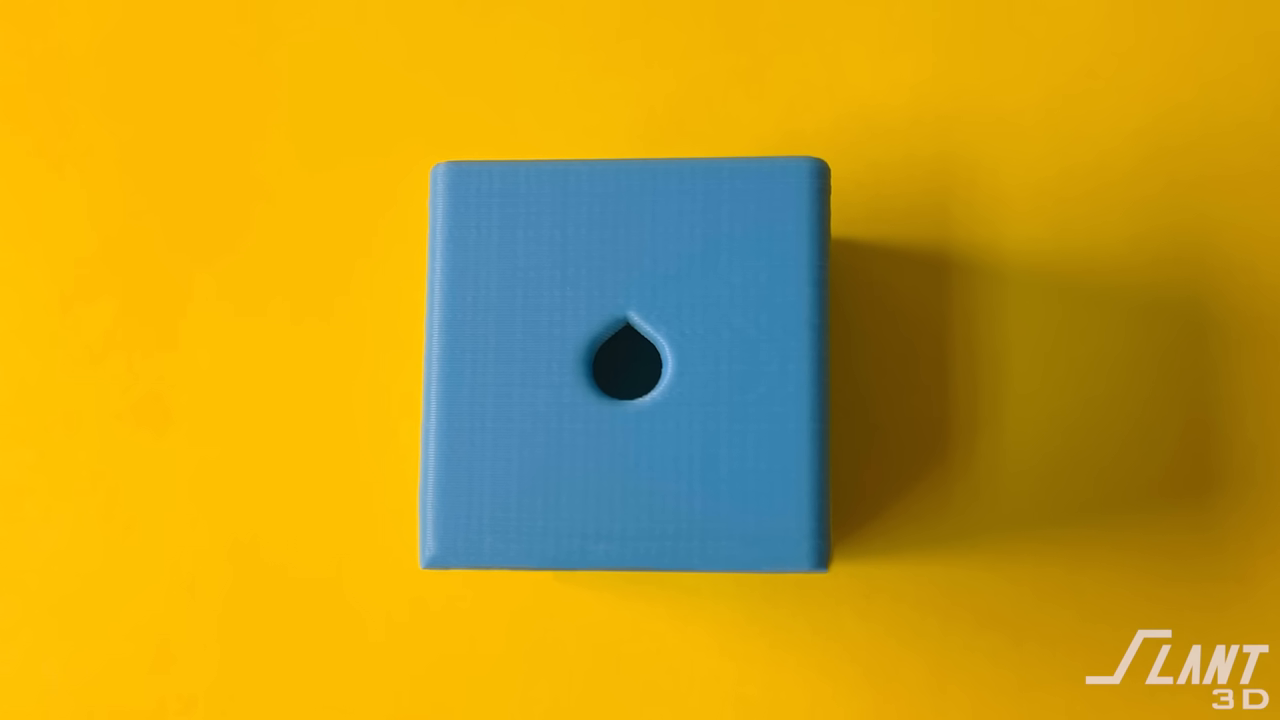
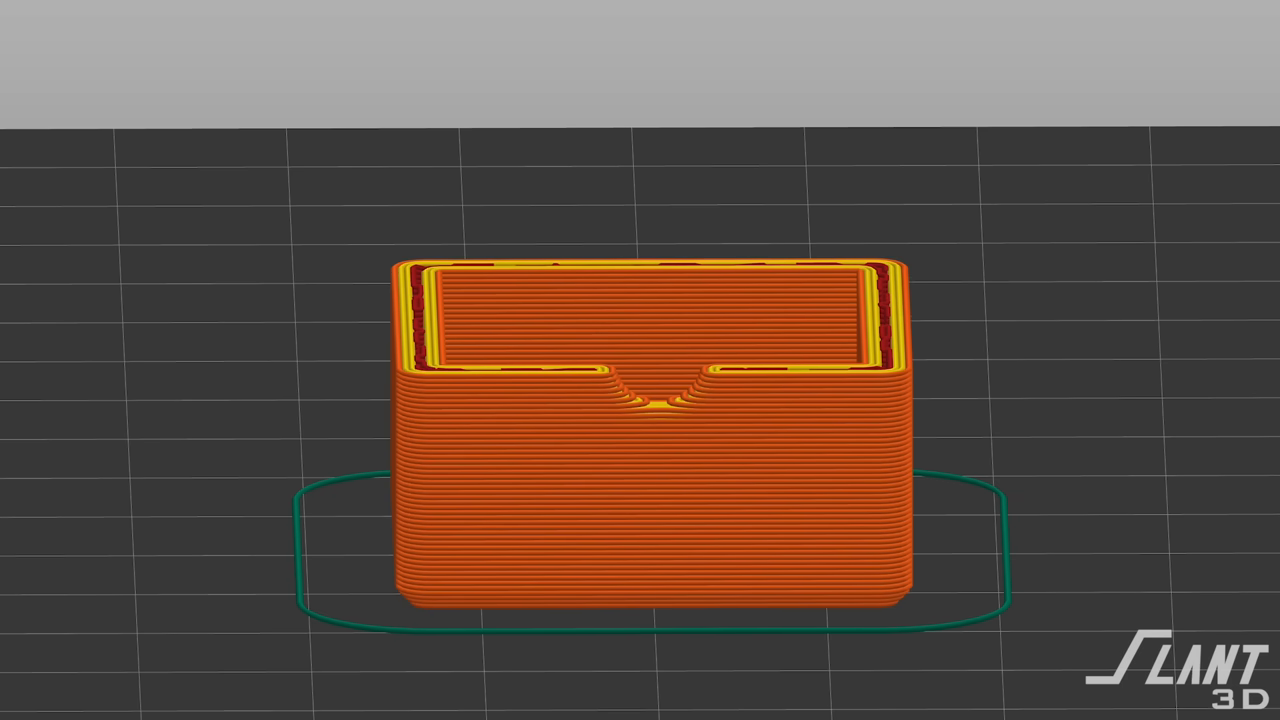
The solution is a teardrop profile... adding a point to the top of the hole. It looks weird in CAD. It looks perfect off the print bed. The pointed top eliminates the flat bridging span while preserving the circular profile where it matters... around the fastener.
You're not designing what looks right on screen. You're designing what survives reality.
Top Holes: There Is No Clean Shortcut
Vertical through-holes are where most people first feel the sting of unsupported geometry. The printer lays paths side to side, hits the void, and keeps going into nothing. The result is stranding... ugly filaments dangling into the hole like cobwebs.
You can add a sacrificial bridging layer... a thin skin the printer can span, which you punch out later. But the video is honest about this: it's only a mild improvement. You still get stranding. You still risk delamination when you remove it. For larger holes, support structures from underneath remain the cleanest answer.
No hack. No shortcut. Just the discipline of doing it right.
Press Fits: Let the Design Absorb the Uncertainty
This is where the video gets genuinely brilliant.
3D printing tolerances are inconsistent. Shrinkage varies. Extrusion width fluctuates. So if you need a press fit, designing the hole to exact diameter is gambling. Sometimes it's too tight. Sometimes too loose. Always uncertain.
The answer isn't tighter control. It's intentional deformation.
Relief slots cut into the wall around the hole let the plastic flex outward when a rod is pressed in. The fit adjusts itself. Then there are crush ribs... small ridges inside the hole designed to be permanently deformed on insertion. They sacrifice themselves so the joint doesn't have to. Each rib can be tuned... thicker for more grip, thinner for easier insertion.
Think about that for a second. The strongest connection comes from parts designed to break a little.
Broken as superpower. Even in plastic.
Grip Fins: Built to Hold and Let Go
The most advanced technique in the video is grip fins... angled, flexible structures inside the hole that act as tiny springs. They compress against whatever is inserted, providing consistent friction force without permanent deformation.
This means reusable assembly. Insert, remove, insert again... same grip every time. The fins flex but don't break. They're designed for the long game.
You can tune them too. A 12mm rod in an 11mm fin diameter grips harder. The tolerance gap becomes the design variable, not the manufacturing defect.
The Deeper Pattern
Every technique in this video follows the same arc:
1. Acknowledge the constraint. The printer can't do perfect corners. Gravity causes sag. Tolerances drift.
2. Design WITH the limitation, not against it. Fillets, teardrops, crush ribs, fins... none of these fight the physics. They dance with it.
3. Build in forgiveness. Chamfers for finding features. Relief slots for flex. Sacrificial ribs that absorb the imperfection so the assembly stays strong.
Design for Manufacturing isn't about forcing your vision onto material. It's about listening to what the material and process can actually do... and meeting them there.
That's not just engineering wisdom. That's life wisdom.
Time × Focus = Attention. And this video rewards every second of yours.
A hole is never just a hole. It's a question... do you understand what you're working with well enough to design something that actually serves? The best engineers, like the best people, don't demand perfection from their environment. They build systems that absorb imperfection gracefully. So next time you're tempted to punch a hole straight through and move on... maybe pause. Add the fillet. Design the teardrop. Let the crush ribs do their quiet, sacrificial work. The strongest fits are the ones that made room for flex. 💙
Original video by Slant 3D — Watch on YouTube ↗
Joining Features | Design for Mass Production 3D PA structured progression of 3D printed joining features from basic slots to snap-fit locking tabs, emphasizing design foSupport Structures, Slant 3DEVERY 3D Printer I’ve Used Tier ListA veteran maker ranks every 3D printer he’s ever used, revealing that reliability and support matter far more than specsRealm-Work, Craft Mastery
Echoes
Wisdom from across the constellation that resonates with this article.
“Consider thermally conductive filaments for integrated heat exchanger vent designs”
— Slant 3D | These Cooling Vents are Impossible | Design for Mass Production 3D Printing Same Expert
“Test vortex generator tooth patterns in cooling duct designs to improve heat exchange”
— Slant 3D | These Cooling Vents are Impossible | Design for Mass Production 3D Printing Same Expert
“Explore S-curve and serpentine internal geometries for applications requiring light blocking or particulate filtering”
— Slant 3D | These Cooling Vents are Impossible | Design for Mass Production 3D Printing Same Expert